From restaurant service to the retail counter, bring your daily operations into focus. Explore our POS for restaurants, boutiques, sweet shops, furniture brands, retail stores and cafes.
Take orders, apply GST, accept UPI, card or cash, and print or share the bill. Choose the desktop or web version for your counter and follow the business from the owner dashboard.
Take orders at the counter and bring the details into your billing workflow.
Automatic GST
Apply the configured item taxes to each bill without manual calculations at the counter.
UPI, card or cash
Handle the payment types your customers use and review the breakdown in your reports.
Print or share bills
Print thermal receipts or share bills digitally as part of your counter workflow.
Desktop and browser access
Use Windows at a dedicated restaurant counter or the web app on a computer, tablet or phone.
Offline desktop billing
Keep billing with the Windows restaurant version during an internet outage, then sync when you reconnect.
Find your fit
Your business. Your Atlantick POS.
Choose the POS for the way you work. Talk to our team about your business type and the operations you want to manage.
Restaurants
RestoPOS
Cover your restaurant's complete operations with a POS built around the way your team runs service, from orders to the business overview.
Dine-in, takeaway and delivery orders
Kitchen orders, split or merged bills and discounts
Automatic GST and thermal receipt printing
Offline billing with the Windows desktop version
Boutiques
Boutique POS
A dedicated POS for boutiques. Manage your clothing collection, inventory and daily shop operations in a setup suited to your business.
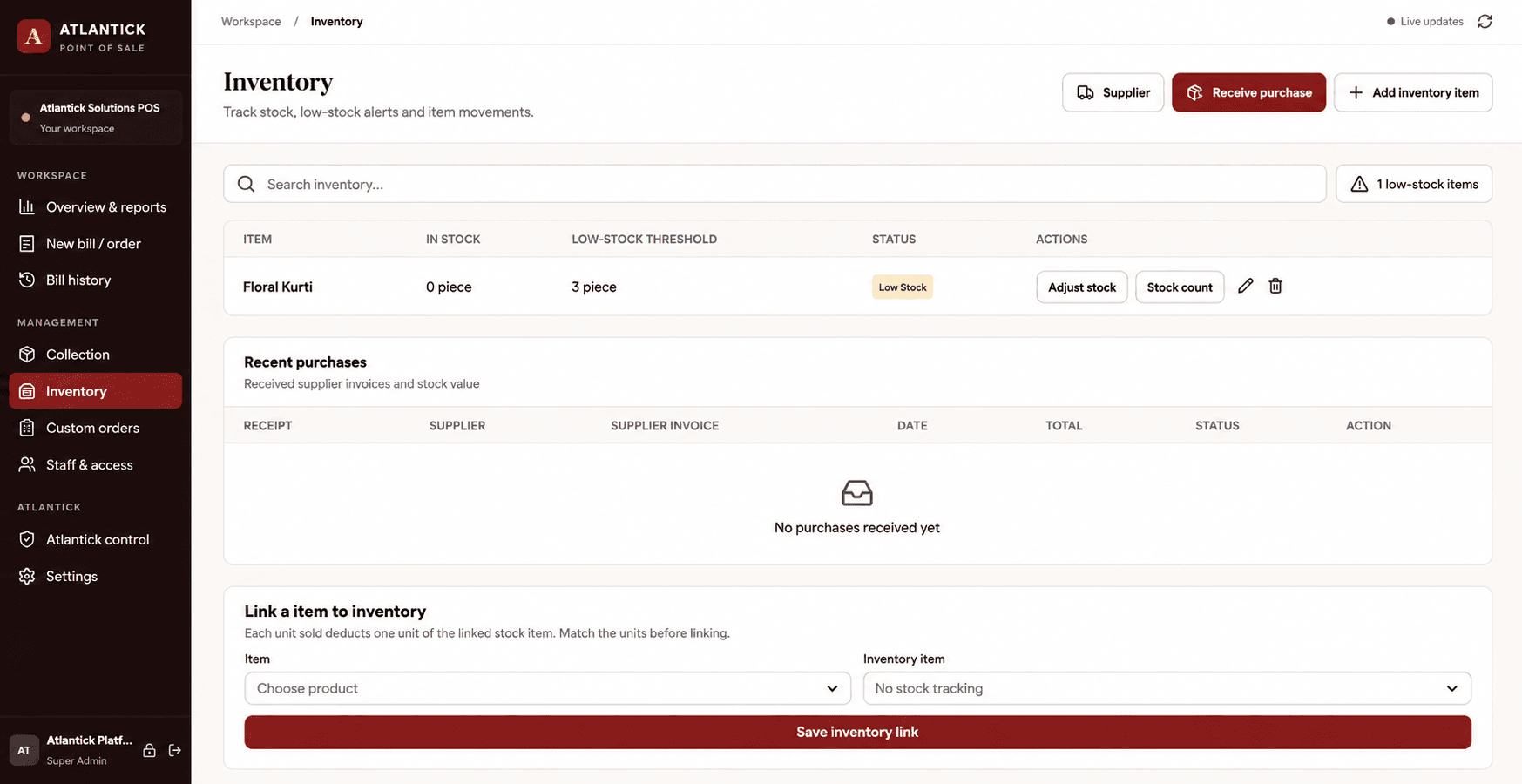
Clothing collections and inventory tracking
Stock counts, adjustments and low-stock alerts
Supplier purchases and product inventory links
Sweet shops
Sweet Shop POS
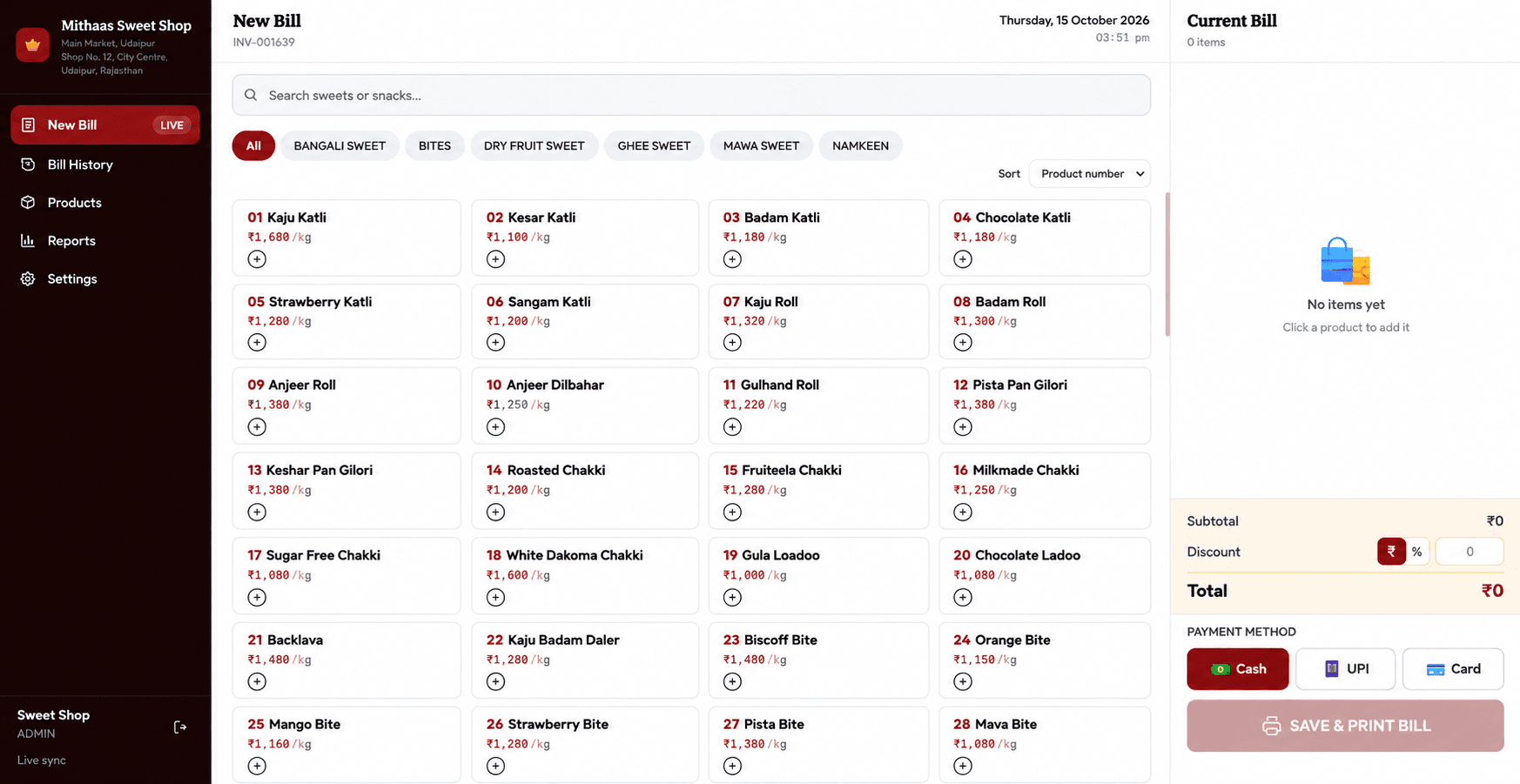
A POS for sweet shops and their everyday operations. Discuss your product range and counter workflow with us to explore the right setup.
Loose sweets by weight and ready packs by the box
Per-kilo pricing and automatic bill calculation
Gift boxes, mixed boxes and bulk occasion orders
Item-level GST for counter billing
Furniture businesses
Furniture Brand POS
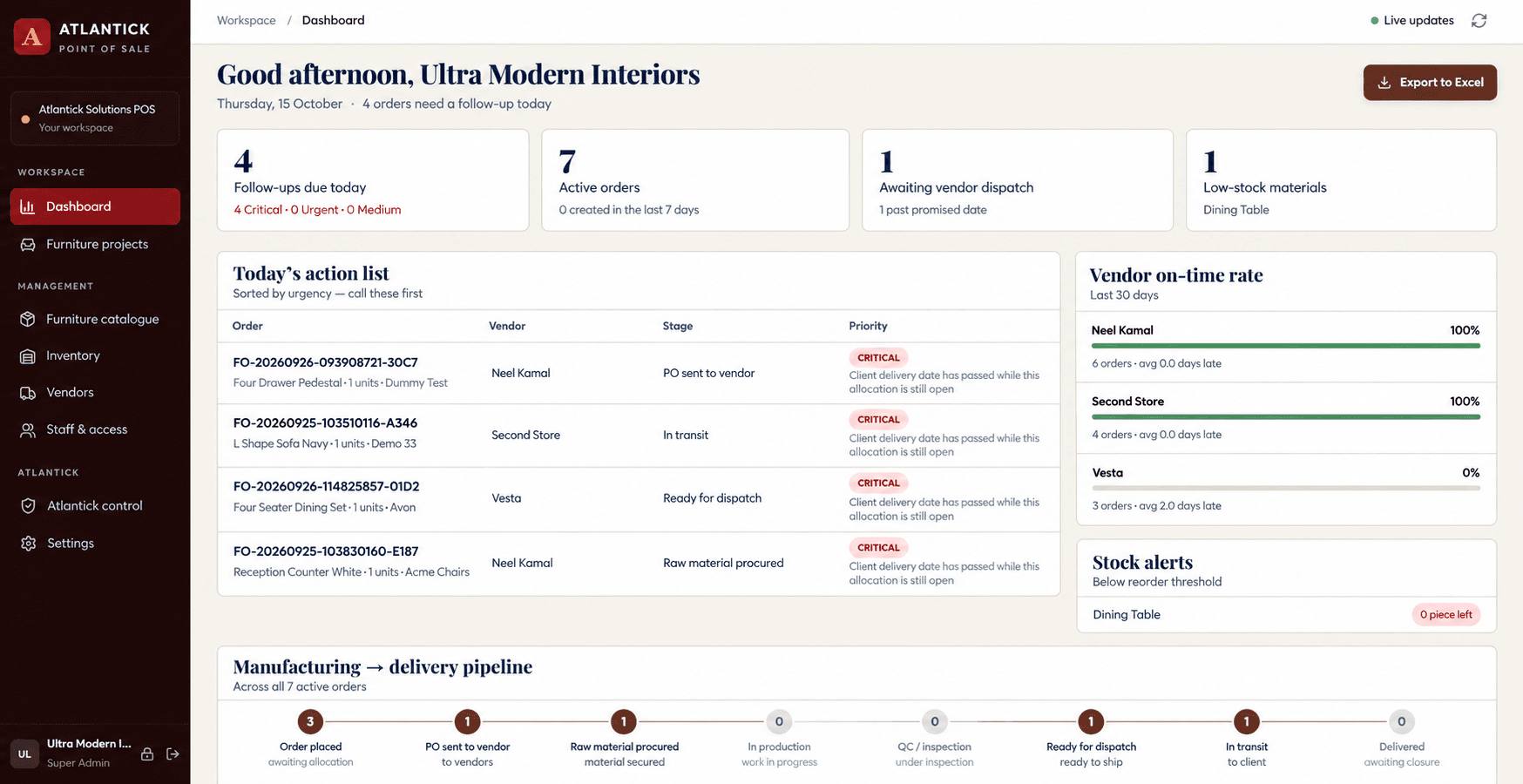
Manage furniture business operations, inventory and vendors in one POS. Start with a walkthrough shaped around your stock and supplier workflows.
Advance, part and final payments for furniture sales
Vendor records, purchases and outstanding payments
Purchase orders, incoming stock and showroom inventory
Sales and vendor payments in the owner dashboard
Retail stores
Retail Store POS
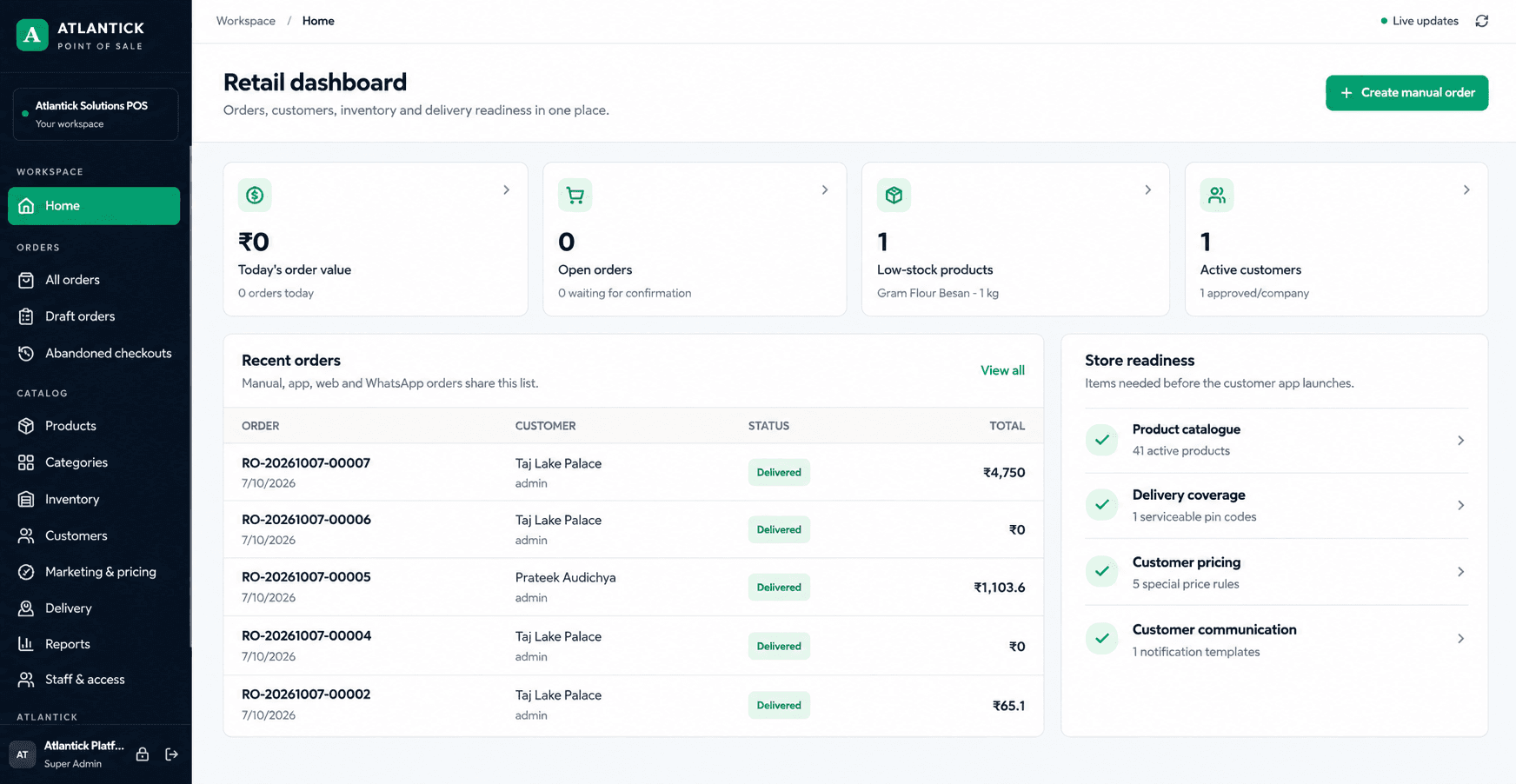
A POS for the daily running of retail stores. Explore how Atlantick POS fits your product range, sales counter and store operations.
Barcode scanning or item search at the counter
Stock updates on sales and purchases, with low-stock alerts
Sales, stock and margins by item and category
Multiple counters or stores in one dashboard
Cafes
Cafe POS
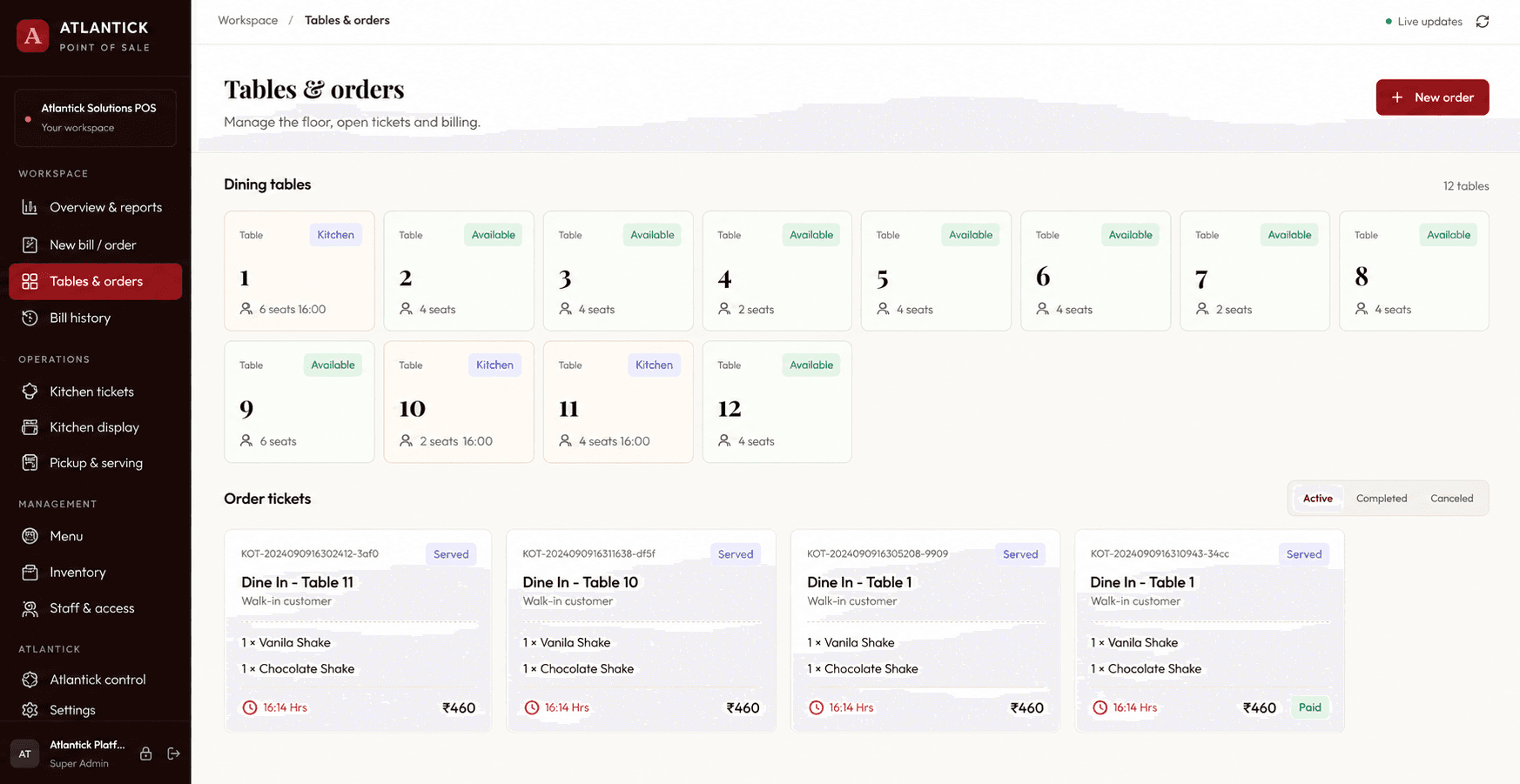
A POS for cafe teams and their day-to-day service. Walk us through your cafe's ordering and counter process so we can show the relevant setup.
Table availability and open order tickets
Kitchen tickets and service status
Counter billing and bill history
Choose your platform
One POS, on the device you already use.
Choose the version that suits your counter. Desktop and web access keep your team connected, while mobile apps can be built as a custom integration.
Windows
Desktop POS
A Windows desktop version for restaurants with a dedicated billing counter. Keep billing when the internet drops, then sync your data when the connection returns.
Offline billing
Thermal receipt printing
Automatic GST
Cloud sync when back online
Browser access
Web-based POS
Open Atlantick POS in a browser on a computer, tablet or phone. Access sales and stock through cloud sync, with no application installation needed.
Computer, tablet and phone browsers
Cloud sync across devices
Access for owners and managers away from the counter
Custom integration
Android and iOS apps
Android and iOS apps are not live yet. They can be built as a custom integration connected to your owner dashboard and admin panel, bringing reports, analytics and inventory together.
Custom integration for your business
Connected owner dashboard and admin panel
Discuss your mobile workflow in a walkthrough
Owner dashboard and admin panel
Know how the business is doing, from anywhere.
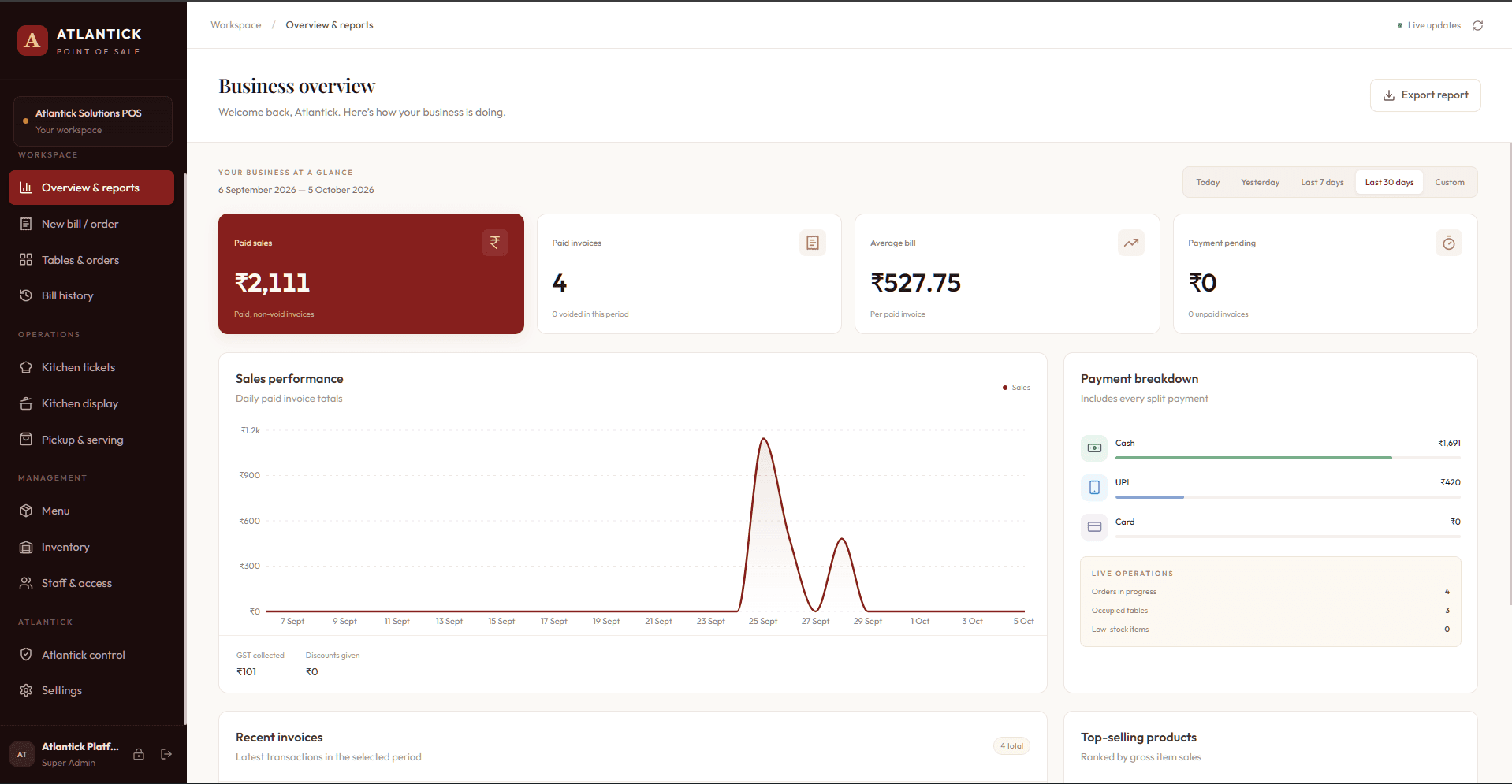
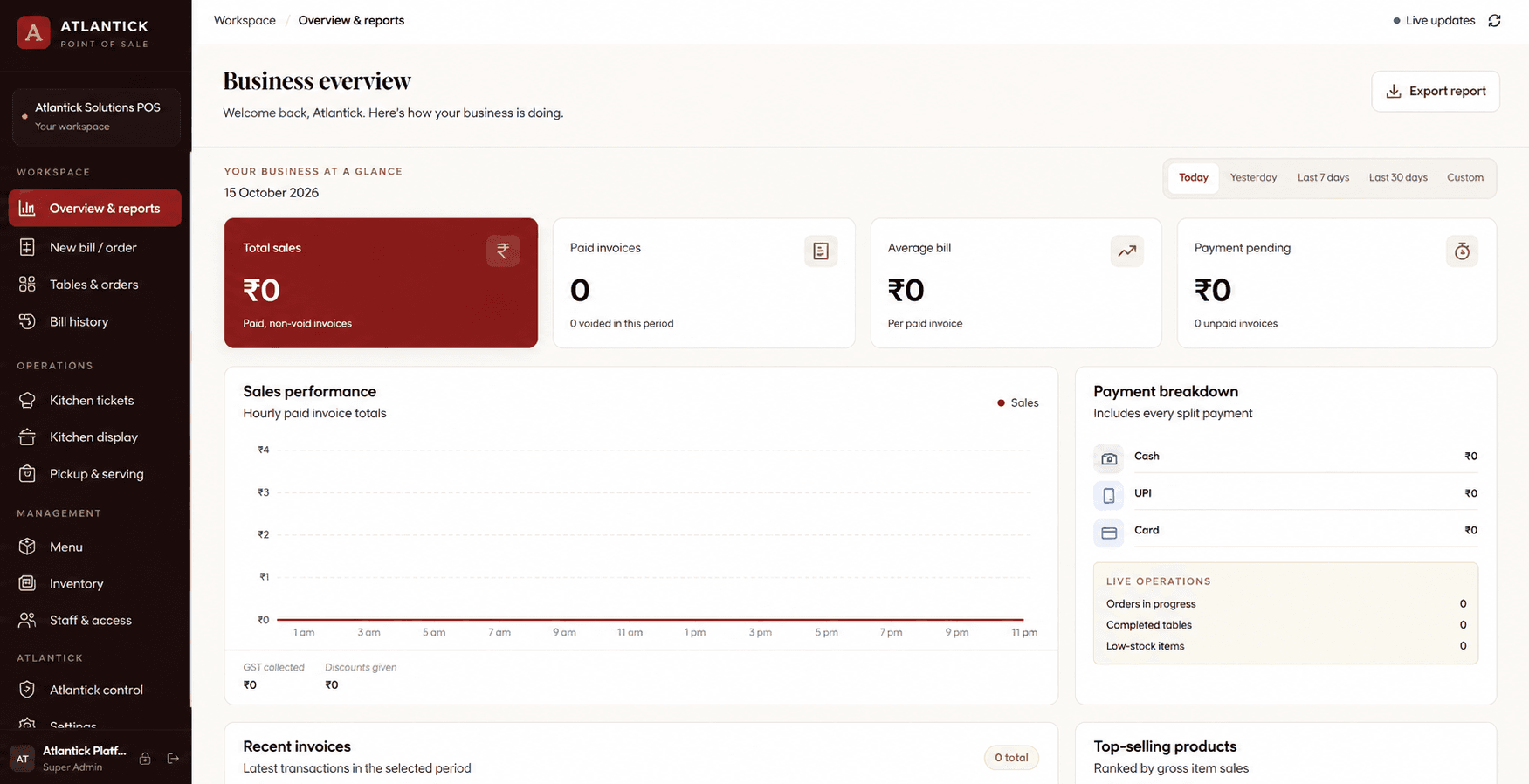
Staff bill at the counter while you follow the results through cloud sync. Review reports, analytics and inventory without being at the shop.
Reports
Review daily and periodic sales, payment breakdowns and order management in one place.
Analytics
See which items sell, when the counter is busiest and how sales are trending.
Inventory
Track stock as you sell and buy, and identify items that need reordering.
Getting started
Start billing in four steps.
01
Book a walkthrough
Choose a time and tell us about your business, counter and day-to-day operations.
02
See your workflow
Explore the POS with examples from your business, including items, GST and payment types.
03
Configure your counter
Set up your items, prices, tax settings, printer and payment modes for the agreed workflow.
04
Bill and track
Start billing at the counter and follow reports, analytics and inventory from the owner dashboard.
Product FAQ
Questions about Atlantick POS.
Find out about billing, payments, devices and getting started. Bring any questions about your own workflow to a POS walkthrough.
Does Atlantick POS work without the internet?
The Windows desktop version for restaurants supports offline billing. Data syncs when the connection returns. Talk to us about your chosen version and offline requirements during the walkthrough.
Does it handle GST?
Yes. Atlantick POS applies GST automatically using the tax settings configured for your items, so staff do not need to calculate it manually at the counter.
Which payment types can I accept?
Atlantick POS supports UPI, card and cash payments.
Can I print or share bills?
Yes. Thermal receipt printing and digital bill sharing are supported. Discuss your printer and POS hardware with us when planning your counter setup.
Which devices does it run on?
Atlantick POS has a Windows desktop version and a web-based version for computer, tablet and phone browsers. Android and iOS apps are not live yet; they can be built as a custom integration connected to the owner dashboard and admin panel.
Can I see sales when I am away from the shop?
Yes. The owner dashboard and admin panel provide reports, analytics and inventory through cloud sync. Mobile apps can also be connected as a custom integration.
Which business types does Atlantick POS support?
Our product range covers restaurants with RestoPOS, boutiques, sweet shops, furniture businesses with vendor management, retail stores with inventory management, and cafes.
How much does it cost?
Pricing depends on your requirements. Book a POS walkthrough to discuss your business, setup and a quote.
How do I book a demo?
Choose Book a POS walkthrough on this page to open the scheduler and select a convenient time. You can also send a POS enquiry through our contact page.
See it for your business
Let's walk through your operations.
Tell us about your store or venue, the way your team works and what you need from a POS. We can take you through the relevant product and discuss your setup. Bring your questions about GST, payments, printing and reports so we can cover your counter's requirements.